End of financial year · FY 2025–26
Your whole year, in one tidy statement.
Cove quietly tracks and categorises your spending all year — so when EOFY arrives, your annual spending statement is already written. Export it as a clean PDF and hand it straight to your accountant.

Free for 7 days, then $9.99/month · For your records, not tax advice
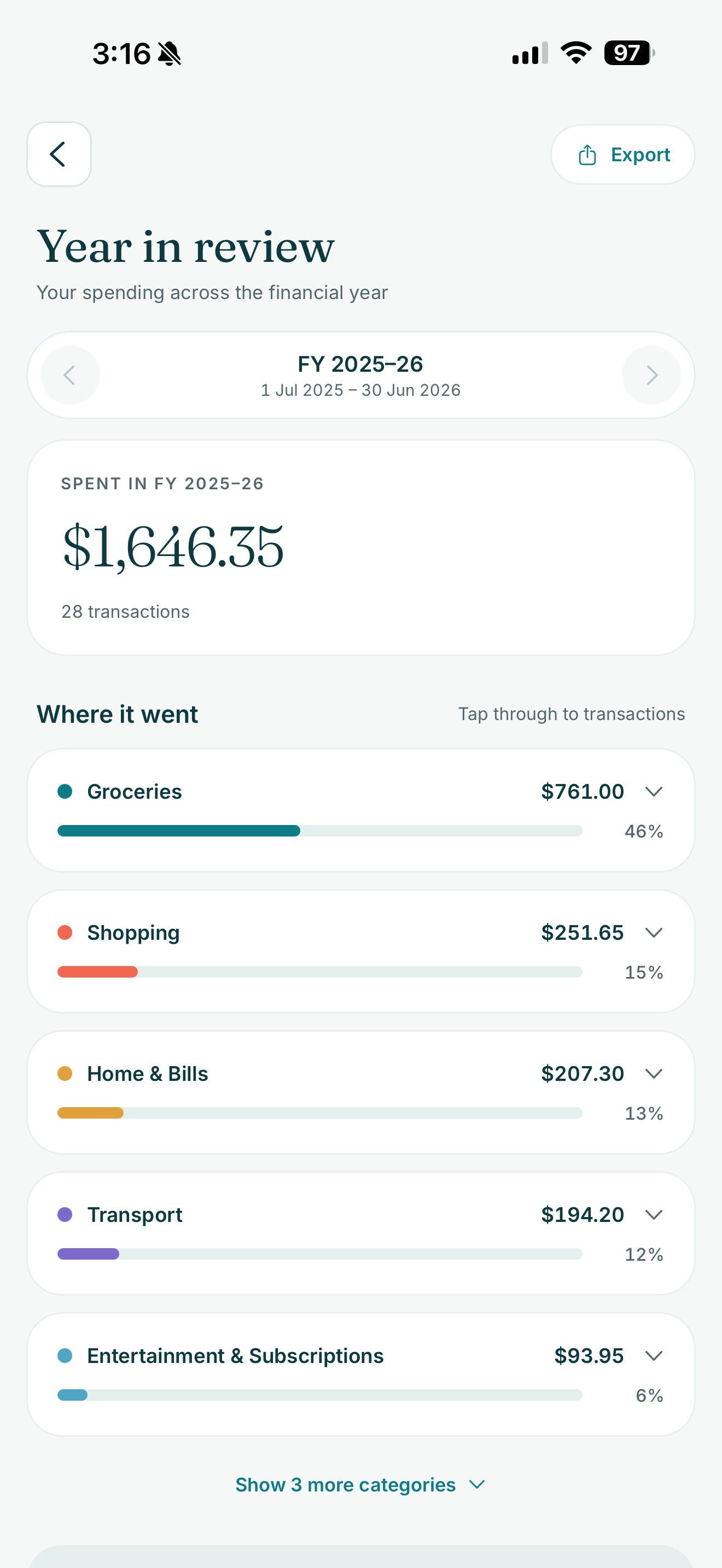
You didn't lift a finger
The statement writes itself.
Automatic syncing is the quiet engine behind everything in Cove — insights, budgets and bills. Your EOFY statement is simply the year-end payoff.
- Synced read-only
- Balances and transactions flow in automatically through Open Banking. Nothing to import, nothing to reconcile.
- Categorised for you
- Every transaction is sorted into clear categories as it lands, so your year is organised long before you need it.
- Ready when you are
- No spreadsheet, no shoebox of receipts. Your statement is a tap away the moment the financial year ends.
Inside the report
A statement you'd be happy to hand over.
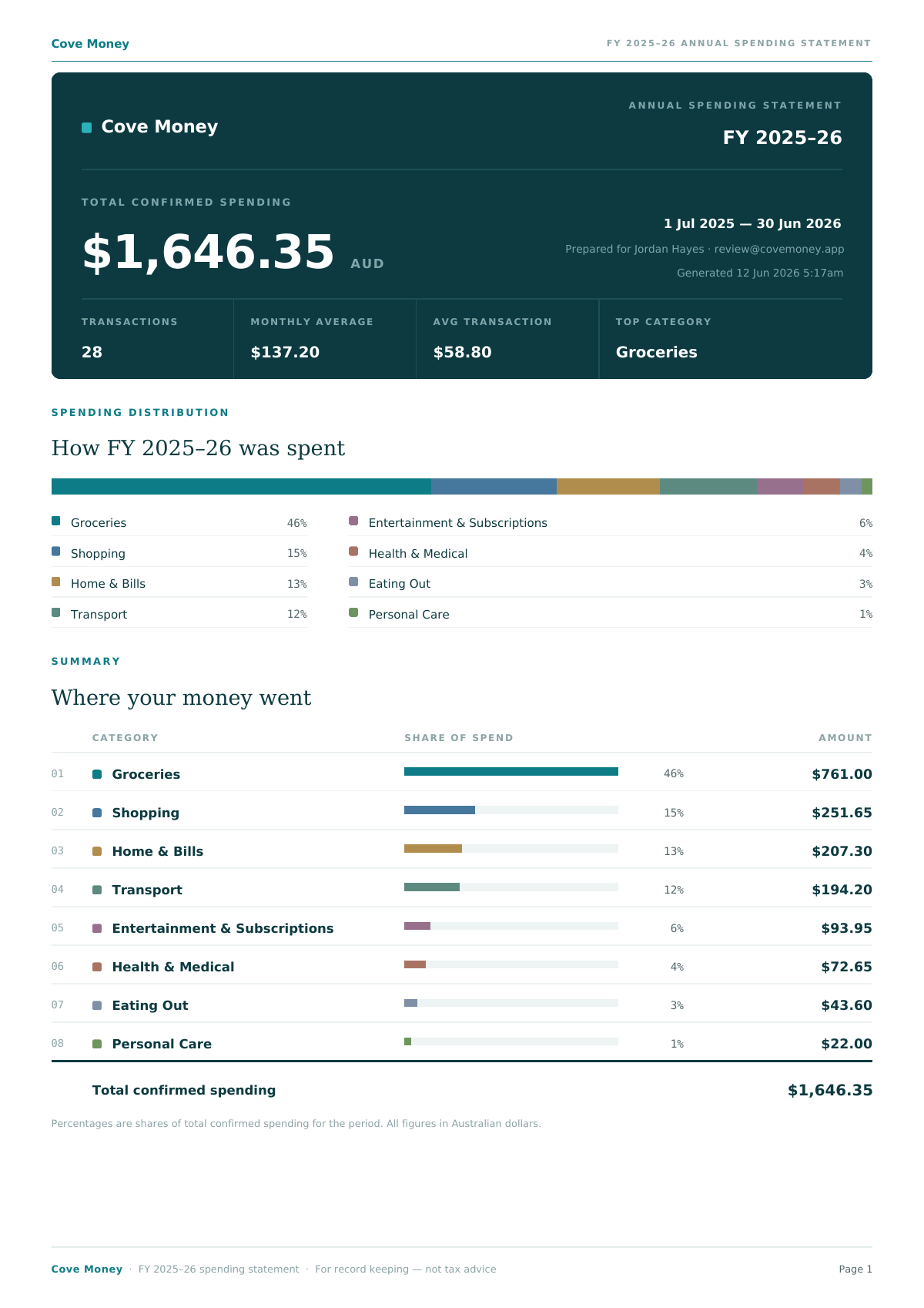
- Your year at a glance
- Total confirmed spending, transaction count, monthly average, average transaction and your top category — the whole year summarised on page one.
- Where every dollar went
- A ranked breakdown of spending by category, each with its share of the year and a clear amount, so the big movers are obvious at a glance.
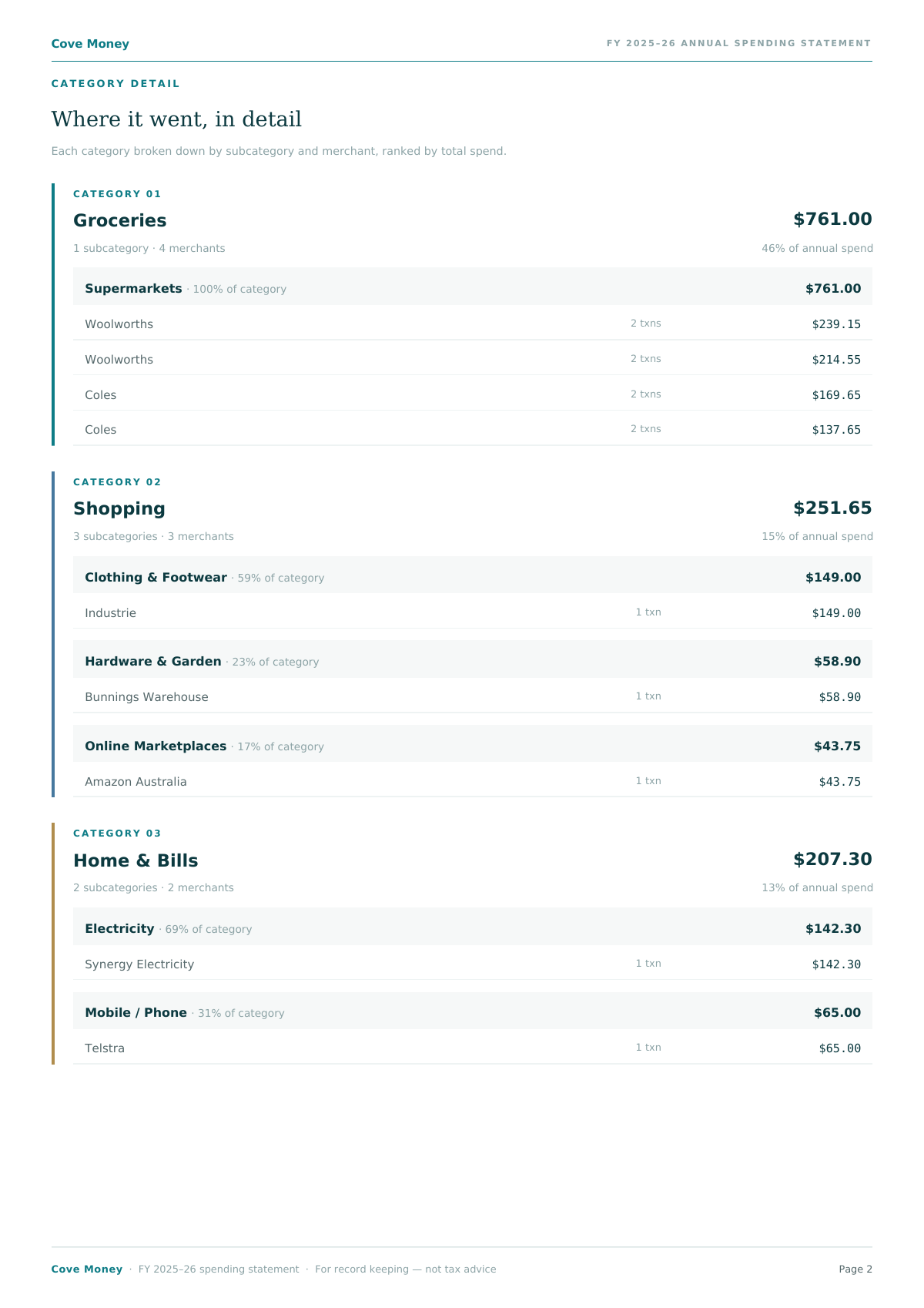
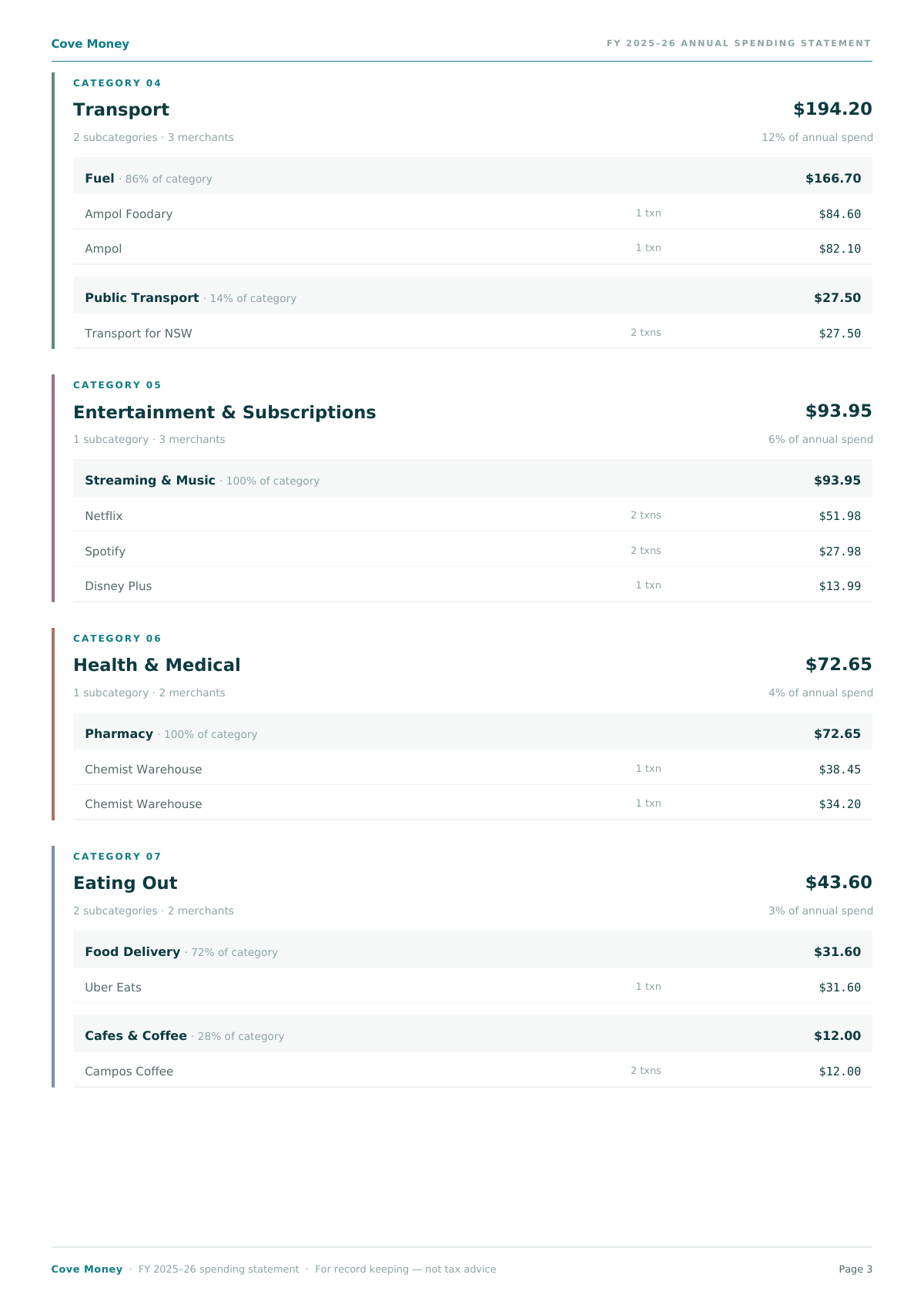
- Right down to the merchant
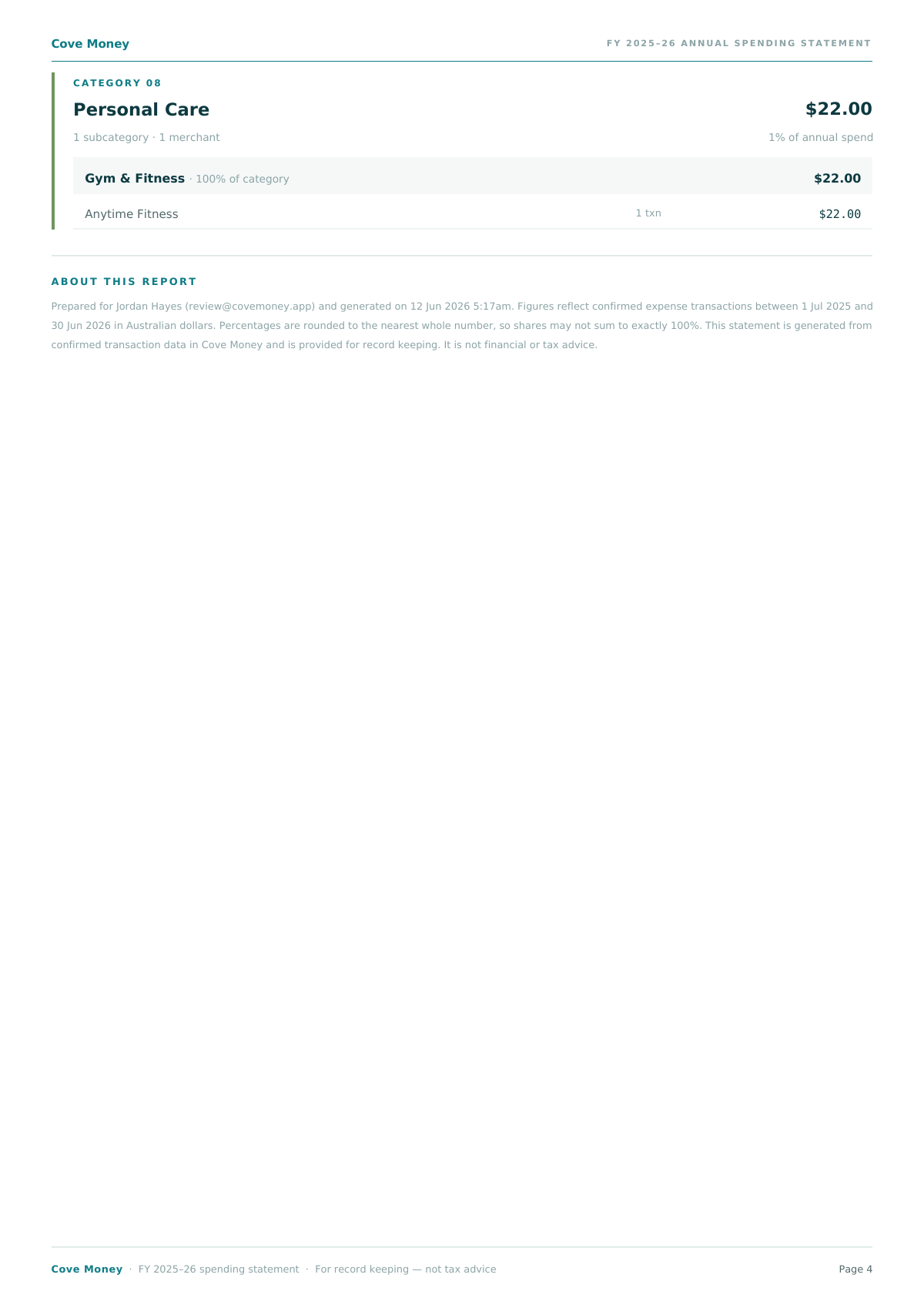
- Each category opens up category → subcategory → merchant, with transaction counts and totals — exactly what an accountant wants to see.
See the real thing
A sample annual spending statement
This is a genuine Cove Money EOFY report. The figures and account holder are fictional — flip through it, then grab the PDF to keep.
From bank feed to PDF
Get your statement in three steps
- Connect your banks once
- Link your accounts through read-only Open Banking. Cove never sees your bank login and can never move a cent.
- Cove tidies up all year
- Every transaction is synced and categorised automatically in the background — so the hard work is already done by the time June rolls around.
- Tap Export at tax time
- Open your Year in Review, tap Export, and Cove emails you a polished PDF statement — ready to forward to your accountant or keep on file.
We email the finished PDF so it's ready to forward in a tap.
Good to know
Year in Review questions
Is this tax advice?
No. The statement is a clear record of your confirmed spending for the financial year, for your own record keeping. It is not financial or tax advice — but it is exactly the kind of summary your accountant or bookkeeper can work from.
How do I get my statement?
Open the Year in Review screen in the Cove Money app and tap Export. We prepare the PDF in the background and email it to you when it is ready, so you can forward it straight on.
Which financial years can I export?
The current financial year and any past year you have data for. Step back through previous years in the app and export a statement for whichever one you need.
Is it included in my subscription?
Yes. The Year in Review and its PDF export are part of Cove Money — there is no extra cost. One quiet subscription covers everything: 7 days free, then $9.99 AUD per month, cancel anytime.
How accurate is the breakdown?
It is built from your confirmed transactions, synced read-only straight from your banks through the Consumer Data Right and categorised automatically through the year — not manual entry or screen scraping.
Get EOFY-ready in a couple of taps.
Start now and Cove will have your FY 2025–26 statement waiting — no spreadsheets, no scramble at tax time.
Syncs automatically with




 + 100 more
Free for 7 days, then $9.99/month · No ads · Cancel anytime